mirror of
https://github.com/ricolandia/TriliumNext-Toolkit.git
synced 2026-05-17 10:55:40 -04:00
| .. | ||
| imagens | ||
| js-Fountain.zip | ||
| js-grid.zip | ||
| README.md | ||

Custom Scripts for Writers
Two fully functional workflows designed to bridge the gap between Knowledge Management and Content Creation inside Trilium.
1. Longform Compiler (Grid View)
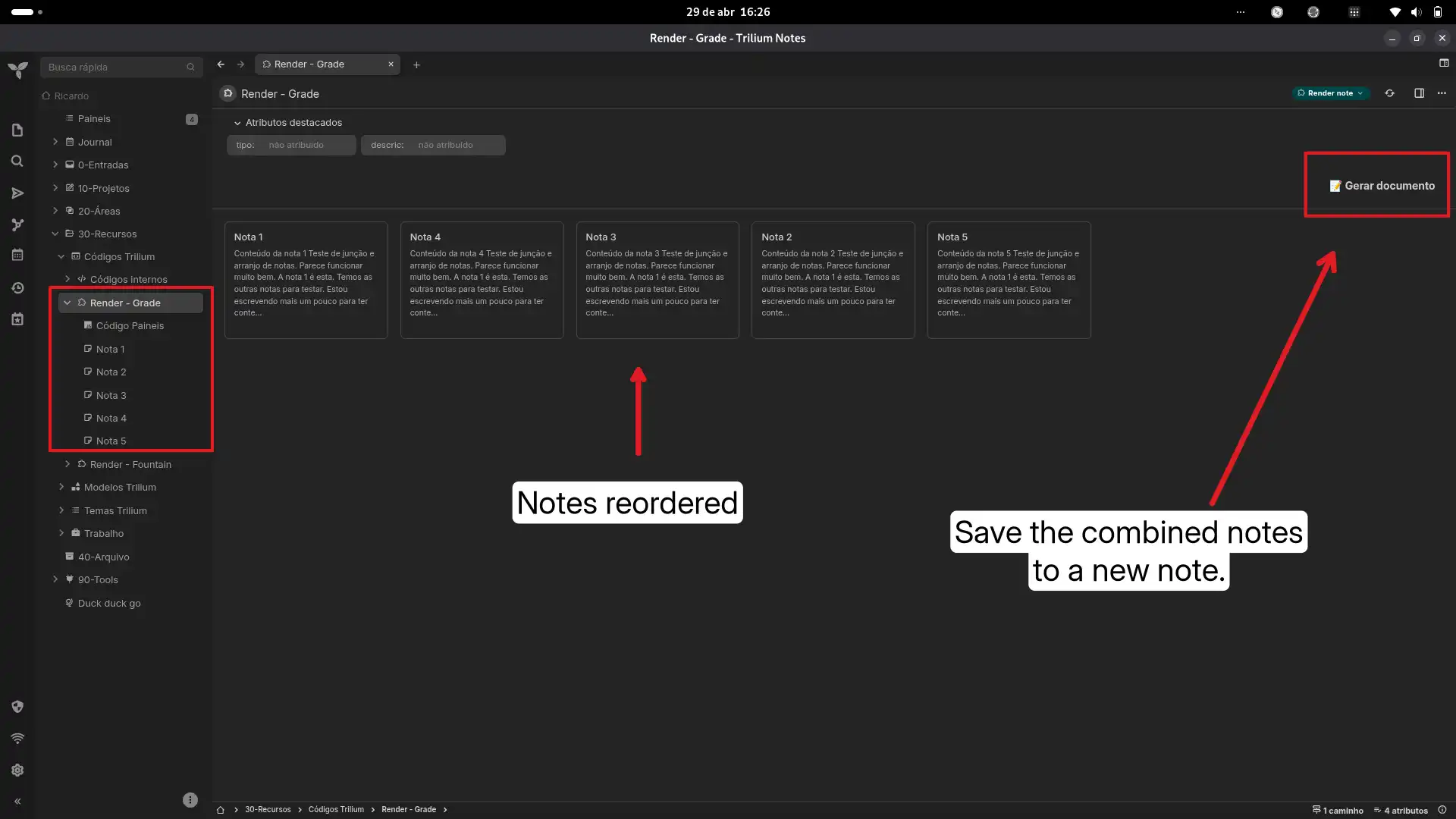
Visually organize and compile smaller atomic notes into one master document.
- Drag & Drop: Generates a visual grid of child notes that you can reorder.
- Persistence: Your custom order is preserved even after a reload.
- Compilation: A single click automatically generates a consolidated master note based on your visual arrangement.
2. Fountain Screenplay Renderer
For audiovisual scriptwriters.
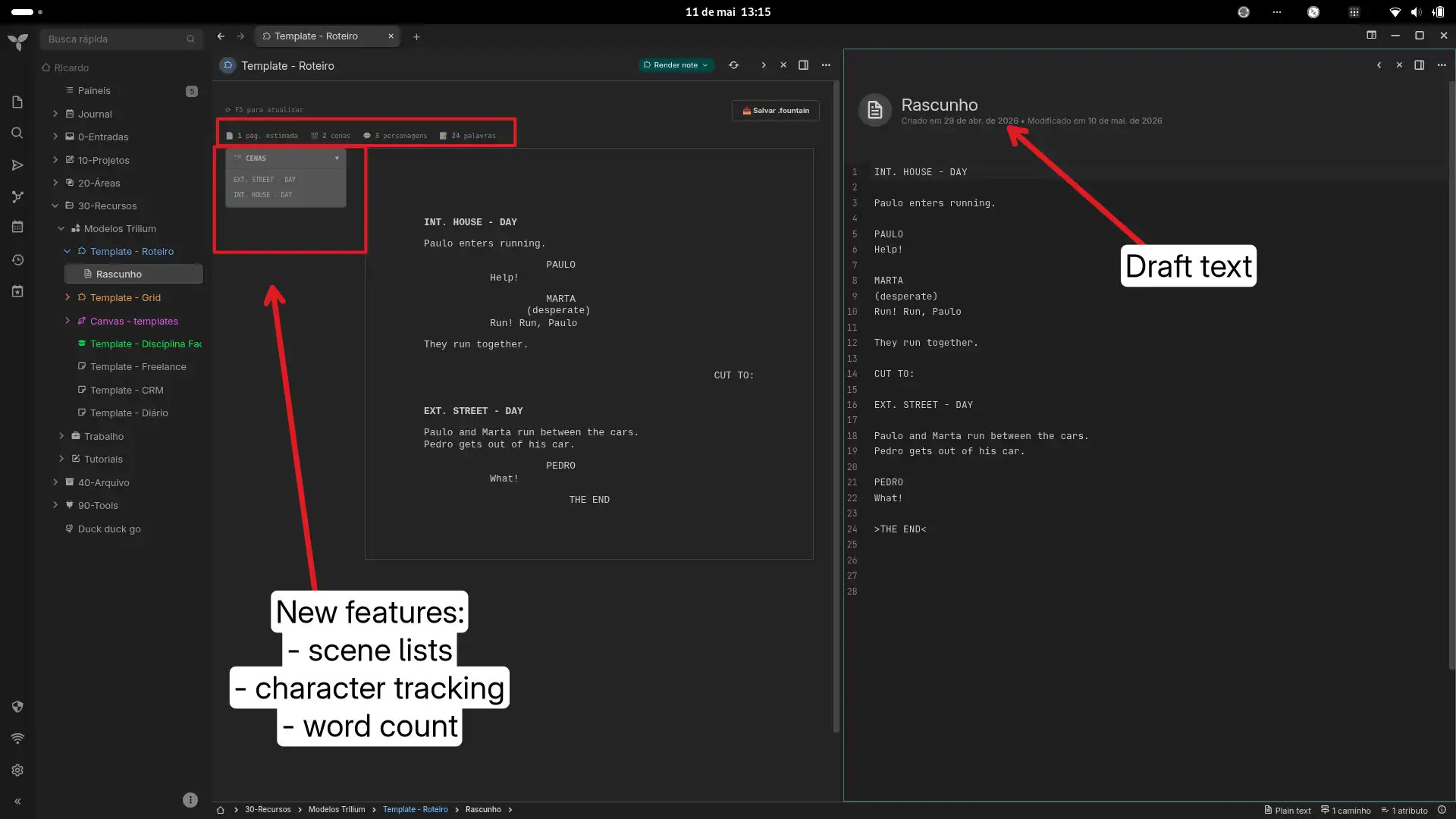
- Standard Formatting: Displays your note text beautifully formatted as a standard screenplay using Fountain syntax.
- Advanced Tracking: Supports scene lists, character tracking, and word counts.
- Export: Includes a dedicated button to export your draft directly as a
.fountainfile.
General Setup
- Create a "Render Note" and set it as the parent.
- Add the script itself as a child note, and ensure the Render Note has a
~renderNoterelation pointing to it. - Organize your actual content notes as children under the Render Note.
Original link
https://github.com/orgs/TriliumNext/discussions/9494
Images